
SASSA e-Life Certification Is Now Active — Here's What Beneficiaries Must Do
Published: Updated: · · 5 min read · Written by: Themba Matlou
Thousands of SASSA beneficiaries across South Africa are receiving SMS and WhatsApp notifications instructing them to complete e-Life Certification and many are not sure what to do next. Some are encountering errors on the portal, others are confused by screens they have never seen before, and some are simply unaware that ignoring this request could lead to their grant being suspended.
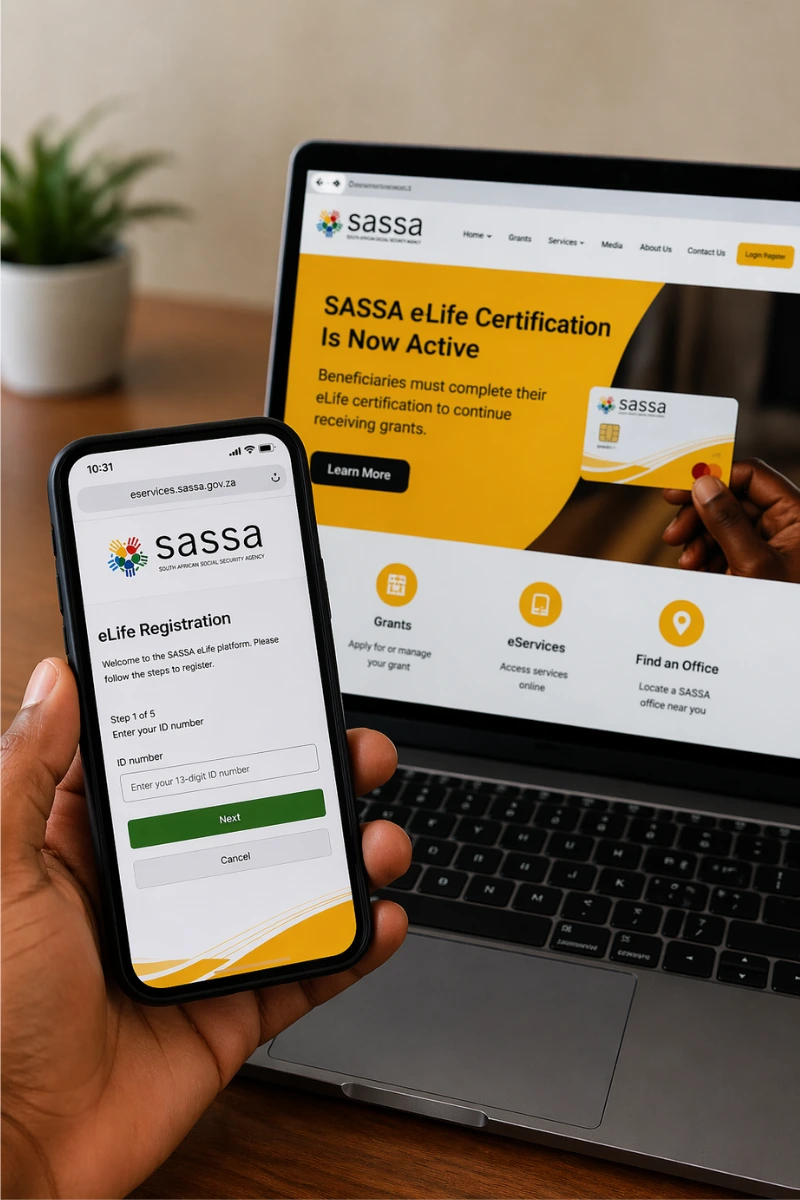
SASSA has been clear: beneficiaries who are flagged for e-Life Certification must comply within the stipulated timeframe, or face payment delays, suspension, and in serious cases, the lapsing of their grant entirely.
This article explains exactly what e-Life Certification is, who needs to complete it, how to do it step by step, and what to do if something goes wrong.
What Is SASSA e-Life Certification?
e-Life Certification is a digital self-service platform that allows SASSA social grant beneficiaries to confirm they are still alive and still eligible to receive their grant without visiting a SASSA office.
The process is a statutory requirement under the Social Assistance Act. It is not a new application, and it does not affect your grant amount. It is simply SASSA's way of verifying that the right person is still receiving the right grant.
The verification is done through the electronic Know Your Client (eKYC) system, which uses biometric verification, specifically a live face scan cross-referenced with Home Affairs records. Once completed successfully, SASSA can confirm your continued eligibility and ensure your payments continue without interruption.
SASSA has been rolling out e-Life Certification as part of a broader effort to modernise its systems, reduce fraud, and move beneficiaries away from long queues at offices. The self-service portal allows the process to be completed from a smartphone or computer at any time.
Who Needs to Complete Life Certification?
This is where many beneficiaries are confused. e-Life Certification does not only apply to pensioners or those on the Older Persons Grant. SASSA has confirmed it now applies to any beneficiary they specifically identify for verification, regardless of grant type or date of birth.
If SASSA has flagged your account, you will be notified via SMS, WhatsApp, or email. Once you receive that notification, you are required to complete the process within the timeframe SASSA specifies. Waiting or ignoring the message is not an option, delays in responding are treated as non-compliance.
Beneficiaries who are able to access the portal are also encouraged to complete e-Life Certification annually, even if they have not been specifically flagged.
The most important thing is to keep your contact details updated with SASSA. If your phone number or email address on record is outdated, you may miss the notification entirely, which can result in your grant being suspended without you realising why.
]How to Complete SASSA e-Life Certification Online — Step by Step
The process takes place entirely on the official SASSA Services Portal. You will need a smartphone or computer, a stable internet connection, and a working front-facing camera.
- Step 1: Visit the official SASSA Services Portal: Go to services.sassa.gov.za. Do not use any other website. This is the only official platform for e-Life Certification.
- Step 2: Log in or register: If you already have an account, log in using your credentials. If you are a first-time user, select "Register a New Account" and follow the prompts to create your profile using your South African ID number and registered contact details.
- Step 3: Select the e-Life Certification option: Once logged in, navigate to the e-Life Certification option on the portal dashboard and select it to begin the process.
- Step 4: Complete the Liveness Validation (face scan) This is the core step. The portal will open an eKYC Facial Verification window titled "Liveness Validation." Follow the two steps shown on screen:
- Prepare - Position your face in the centre of the camera frame. Make sure your face is fully visible and not obscured.
- Capture - Hold completely still while the screen flashes and scans your face. Do not move or look away during the scan.
- To ensure a successful scan: use good lighting, face a light source directly, avoid dark rooms or strong backlight, and hold your device steady with both hands.
Tip: Select “allow” when your browser asks for camera access.
- Step 5: Wait for the confirmation screen Once the face scan is submitted, the portal will display a screen that reads: "Facial Verification is in Progress." This is covered in detail in the next section, it is normal and does not mean your scan failed.
Common Errors - What They Mean and What to Do
"Facial Verification is in Progress" — Do You Need to Do Anything?
This is one of the most misunderstood screens on the portal, and it is causing unnecessary panic in SASSA Facebook comments across the country.
When you see this screen, it means your face scan has been submitted successfully and SASSA is now processing your verification in the background. The message on screen also says you will not be allowed to log in to the portal during this waiting period — this is intentional and expected.
You do not need to redo the process. You do not need to visit a SASSA office. Simply wait for an SMS or email notification confirming your verification status. The timeframe for this confirmation is not fixed, but beneficiaries should allow a few days before following up.
"Application 101 Dialog page 9998 cannot be rendered successfully" Error
If you encountered this error, you were not alone. This was a known technical glitch within the SASSA portal that caused the eKYC verification screen to fail to load entirely, blocking beneficiaries from completing their certification.
On 10 April 2026, SASSA issued an official statement on gov.za acknowledging the problem, apologising to affected beneficiaries, and confirming the system had been restored. If you previously received this error and were unable to complete verification, return to the portal and attempt the process again now that the system is back up.
If the error persists, contact SASSA directly using the details at the end of this article.
"Loading Components" — Face Scan Stuck and Won't Start
Many beneficiaries are reporting that the Liveness Validation screen loads but the button remains stuck on "Loading components" and the face scan never begins. In most cases, this is caused by a slow or unstable internet connection.
The eKYC face scan requires the portal to load external biometric components in real time. If your data connection is weak or inconsistent, those components fail to load and the scan cannot start.
What to do: switch to a Wi-Fi connection if possible, move to an area with stronger mobile signal, close all other apps and browser tabs before trying again, and reload the portal fresh. Avoid attempting the face scan during peak network times if your connection is generally slow.
Face Scan Keeps Failing or Returning an Error
If the scan loads but keeps failing during or after the capture step, the most common causes are poor lighting, movement during the scan, or the face not being properly centred in the frame.
Make sure you are in a well-lit room facing a light source. Position your face squarely in the centre of the camera frame before the scan begins. When the screen flashes, hold completely still. If the scan fails repeatedly after several attempts in good conditions, visit your nearest SASSA office for assisted verification.
What Happens If You Do Not Complete Life Certification?
SASSA has been direct about the consequences. Beneficiaries who fail to complete life certification as directed may have their grant payment delayed. Continued non-compliance can lead to outright suspension of the grant. If a grant lapses due to prolonged non-compliance, the beneficiary may need to reapply from scratch, a process that can take weeks or months.
SASSA's position is that the absence of life certification may be interpreted as an indication that the beneficiary is deceased or no longer eligible. This is why it is critical to act as soon as you receive the notification.
Cannot Complete It Online? Here Is What to Do
Not every beneficiary has reliable internet access or a compatible device. If you are unable to complete e-Life Certification through the online portal, contact SASSA through the following official channels:
- Toll-free helpline: 0800 60 10 11
- WhatsApp: 082 054 0016
- Email: Grantenquiries@sassa.gov.za
- Nearest SASSA office: Walk in during operating hours for assisted verification
If you are visiting a SASSA office because of portal issues, it is worth calling ahead first to confirm what documents to bring, as requirements may vary.
Act Now — Do Not Wait
If you have received a notification from SASSA to complete e-Life Certification, treat it as urgent. The notification comes with a timeframe, and missing that window puts your grant at risk.
Make sure your contact details — phone number and email address — are current with SASSA. If they are outdated, update them before your next certification cycle to ensure you do not miss future notifications.
For beneficiaries who have already completed the face scan and are now sitting on the "Facial Verification in Progress" screen — wait for your SMS or email. Your part of the process is done.
- Published: SASSA e-Life Certification - What Beneficiaries Must Do